How Do I Edit An Adjustment?
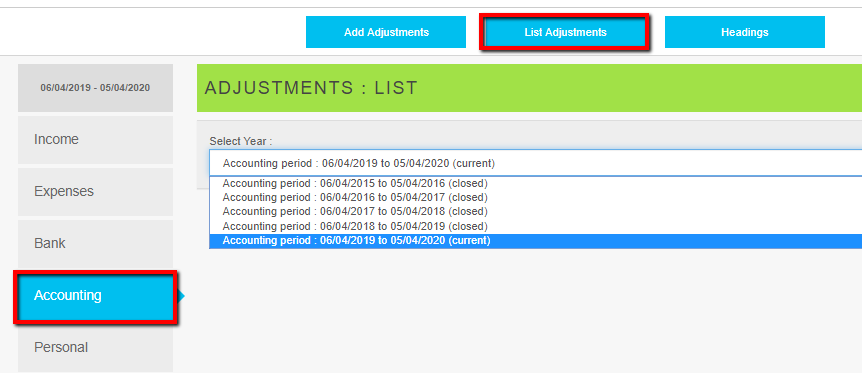
- Click Accounting
- Click List Adjustments
- Select the period the adjustment applies to (Closed or Current)
- Click the Pencil icon to edit the adjustment
Related Articles
How Do I Edit The Name Of A Heading?
Click Settings Click Headings Select the heading type to be amended; Income, Expenses, or Balance Sheet. Click Edit against the user created heading to be amended. System headings cannot be changed. Edit the contents of the Name box Click Save ...
How Do I Add An Adjustment?
Click Accounting Click Add Adjustment Select Year and choose the period to be adjusted from the first drop down box Enter a Reference (optional but recommended) Enter Notes (optional) Record one line for each 'leg' of the adjustment, filling in the ...
How Do I Change The Invoice Layout?
Click Settings Click Invoice Template Edit the field names shown on screen enclosed in {{ and }} Click Save
Year End Adjustments - closing balances and opening balances
At the end of each financial year every accounting system must be adjusted to ensure that it agrees with the final accounts filed at Companies House. Request the final Trial Balance report from your accountant that was used to prepare the year end ...
How Do I Action A Repeat Transaction?
Click Settings Click Accept Repeat Transactions All triggered repeat transactions that have not been actioned are displayed on this screen. Three processing choices are possible Accept - The transaction is posted without change by a single click of ...