How Do I Print From The Reports Menu?
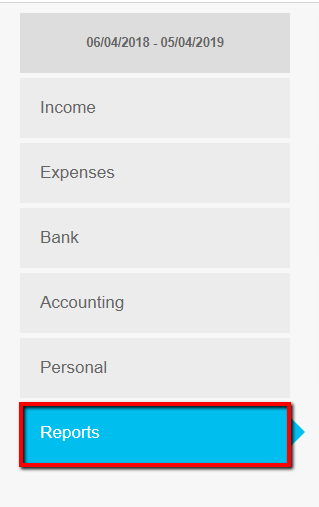
- Click the type of report to produce
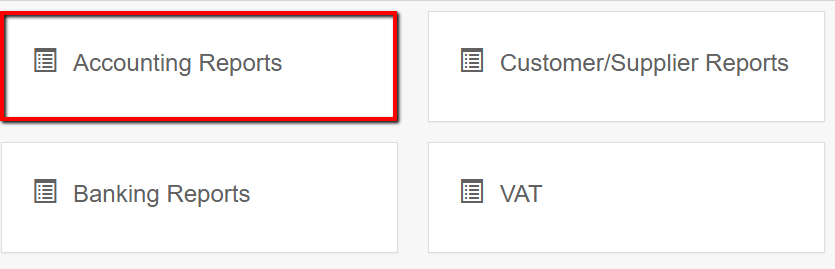
- Click Run for the required report the popup list
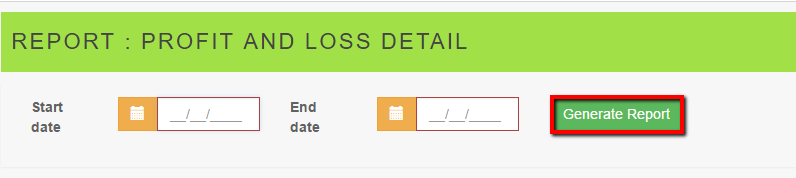
- Complete the Date Selections and click Generate report
- Select output method; Print, PDF, Excel or .DOC and Email

Related Articles
How Do I Print A Trial Balance?
There are 2 ways to print a Trial Balance. Use the button on the ETB Screen Click Accounting Click View ETB Click Print Trial Balance Use the Reports Menu Click Reports Click Accounting Reports Click View On Trial Balance Enter an end date in the box ...
How do I print my RegData Report?
Print the IFA Report using the following steps * Click Reports * Click RegData Report * Click View Report * Click Print
How Do I Print A Receipt For A Customer?
Click Income Find the transaction. Use the filters or search box to help find the transaction Click the Pencil view the transaction Print the transaction by clicking on the Printer icon
How Do I Print An Income Transaction?
Click Income Find the transaction using the following: Use the search box in the green banner Use the filters provided - help for the filter function assistance for filters is half way down the page Use the browser search to find the item in the ...
MTD Dashboard - How do I prepare or view MTD VAT returns?
After the system has been setup for MTD please use the MTD for VAT Dashboard accessible from the left hand (main) menu to prepare, view and submit MTD VAT returns. The traditional location of VAT reports remains on the system (Reports/VAT) but only ...